

AnyDesk 9.8.1
AnyDesk is a fast, lightweight remote desktop tool for Windows, Mac, Linux, Android, and iOS, known for its smooth performance and simple setup via unique IDs. It uses the DeskRT codec for crisp streaming, offers file transfers, clipboard sharing, and unattended access, with TLS 1.2 encryption for security. The free version supports up to three devices, while paid plans add session recording and remote restarts. It's generally faster and cheaper than TeamViewer for solo users and small teams, though past security issues mean you should keep it updated. Overall, it's a solid pick for quick, reliable remote access.
- Free
- Windows
- macOS
- Linux
- Android
- iOS
- Oct 8, 2026
Screenshots
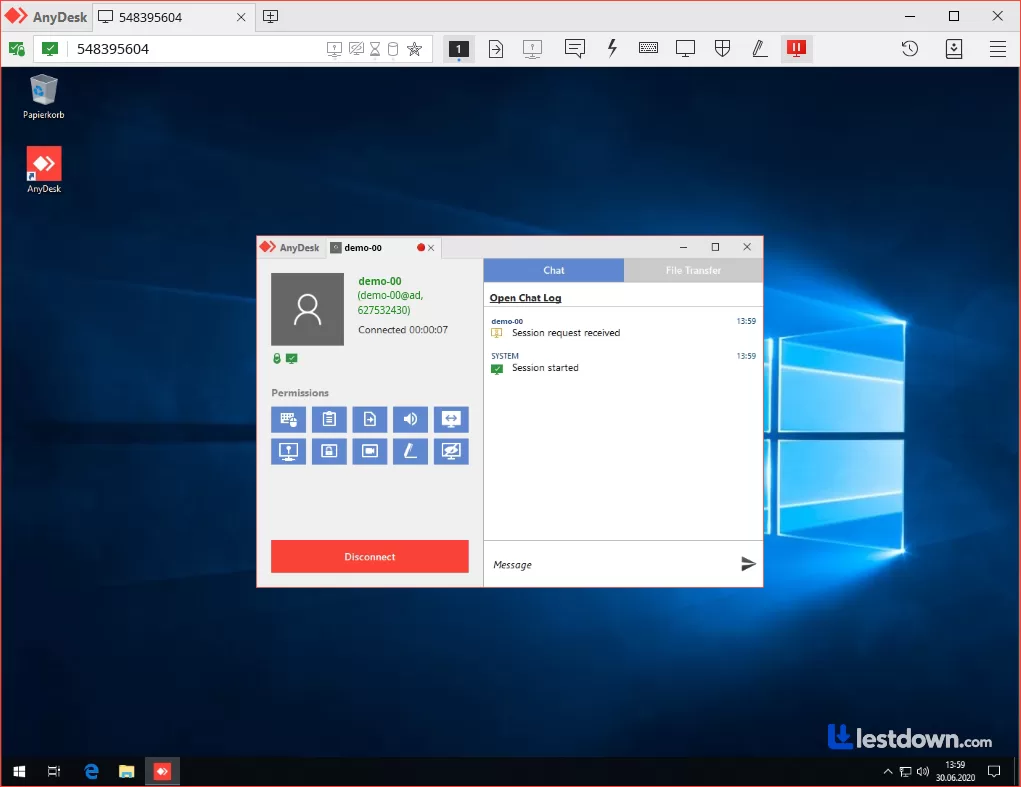
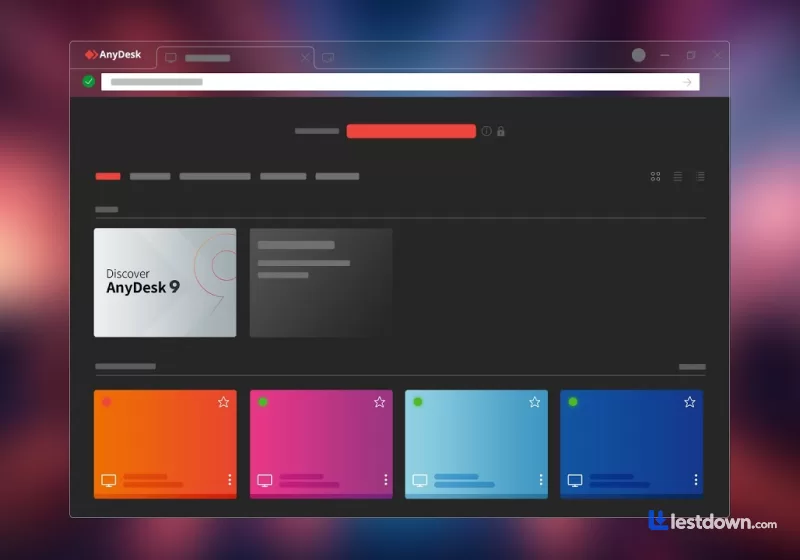
About AnyDesk
If you're looking for an easy and efficient way to connect to your PC from just about anywhere, AnyDesk is worth a look. It works across pretty much every platform out there, Windows, Mac, Linux, FreeBSD, and even mobile devices like Android and iOS. They've also added the ability to manage Android devices remotely, which makes it surprisingly versatile. You're not just stuck with PCs anymore.
As a top contender in the remote desktop space, AnyDesk focuses on delivering fast, reliable connections with a clean interface. Its global network of servers helps reduce latency, so sessions actually feel smooth and responsive instead of like you're watching a slideshow. And yes, that's still the main reason people pick it over TeamViewer, the speed.
Remote Access Without the Hassle
One of AnyDesk's biggest strengths is how straightforward it is. The interface is clean and intuitive, even if you've never used remote desktop software before. Compared to options like DWService, it just feels more polished. You open it, you see an ID, you share it, you connect. That's it. No router configuration, no port forwarding, none of that nonsense.
A Great Tool for Businesses
Whether you're working from home or managing a small business, AnyDesk comes packed with features that actually matter. You can transfer files, set up remote sessions, and collaborate online with ease. The interface is customizable, and features like an address book and real-time status updates make it a handy tool for teams. It even supports business-oriented stuff like remote accounting access, document printing, and managing financial reports without being physically present. And if you're the IT person in the office, the Unattended Access feature is a lifesaver, you can jump into any machine without needing someone on the other end to click "Accept."
What You Need to Connect
While it doesn't work offline, obviously, AnyDesk runs surprisingly well on slow internet connections. As long as you've got some kind of signal, you can expect a usable experience. The DeskRT codec they built specifically for desktop environments is genuinely impressive. It keeps video crisp and responsive even over long distances, which is something you don't really appreciate until you try a competitor and everything turns into a blurry mess.
Quick Installation, Strong Security
Getting started is a breeze. Each installation comes with a unique ID, so you don't need to configure your router or mess with firewall rules. You can be up and running in minutes. Users can assign a custom alias for easier access, much nicer than remembering a random nine-digit number. Security is tight too. AnyDesk uses TLS 1.2 encryption to protect your data, and organizations can now enforce mandatory two-factor authentication (2FA) policies in custom clients. If you're on Windows, you can fine-tune exactly what your collaborators are allowed to do during a session, view-only, file transfer only, whatever you need. Unlike browser-based tools like Chrome Remote Desktop, AnyDesk keeps your shared files local, which adds an extra layer of privacy.
A Quick Note on Security History (Because It Matters)
Okay, so here's the part where I have to be real with you. AnyDesk has had its share of security headaches. In early 2024, the company disclosed a breach in its production infrastructure, passwords were compromised, and source code was stolen. They patched everything and forced password resets, but it was a wake-up call. More recently, in July 2026, a zero-day vulnerability (CVE-2026-15682) was disclosed that could allow a local denial-of-service attack via file system junction abuse. Another advisory in the same month flagged multiple vulnerabilities affecting Windows versions below 9.0.5. The team has been patching things up, but the lesson is clear: keep AnyDesk updated. Like, actually updated. Not "I'll do it later" updated. The latest stable version is 9.7.10 for Windows as of July 2026, so if you're running anything older, go fix that.
Features at a Glance
Shared clipboard between devices (copy on one, paste on the other, works great)
Access settings directly from the top menu
Options for audio, screenshots, and remote cursor visibility
View-only mode to prevent unwanted input
Improved drag-and-drop support in the latest builds
Meeting features with prominent speaker indicators and a red dot when you're in a meeting
Easy File Transfers
Sharing files is simple, copy to your clipboard and paste remotely, or use the built-in file manager. The file manager makes it easy to reboot systems or send documents to print, all without needing physical access. You can also monitor file transfers in the Accept window now, which is a small but welcome addition if you're sending large files and want to make sure they actually go through.
Keep Your Sessions Handy
You can save connection shortcuts right to your desktop, making it faster to jump back into frequent sessions. There's also a system info panel that gives you a full overview of the remote machine's specs, useful if you're troubleshooting or just curious what kind of hardware you're working with.
Crystal-Clear Streaming
AnyDesk uses a custom video codec called DeskRT, built specifically for desktop environments. It keeps video crisp and responsive, even over long distances. This is genuinely the thing AnyDesk does best. If you've ever tried a remote session that felt like watching a PowerPoint from 2003, you'll appreciate the difference.
Free vs. Paid Options
If you're a casual user, the free version will likely meet your needs. It supports up to three devices, though you won't get features like session recording, remote restarts, or customer support. Paid plans unlock these extras. Here's the thing though, as of 2026, AnyDesk's pricing has crept up a bit. The Solo plan starts around $28.90 a month list price (or about $23.12 with the first-year 20% promo), while TeamViewer's cheapest paid tier sits at $24.90 a month. So TeamViewer is technically cheaper on paper for solo users. But AnyDesk's Standard plan at $63.90 a month actually undercuts TeamViewer Premium at $120.90 a month by a pretty wide margin. For IT teams and MSPs, AnyDesk often wins on value because you get more unattended devices per plan and mobile access in the base team tier. It's not a one-size-fits-all situation.
How to Get Started on Windows
Download AnyDesk from the official site
Run the installer, it's basically one click
Set up unattended access if you need it (you'll need a password for that)
Activate your license at my.anydesk.com if you're on a paid plan
You're ready to start remote sessions
AnyDesk vs. TeamViewer
TeamViewer may be the more recognizable name, but AnyDesk generally offers faster performance and a simpler interface. TeamViewer has more advanced security features and a more mature enterprise ecosystem, so if you're running a large IT department, that might matter more to you. But for most people, especially freelancers, small teams, or anyone who just wants to remote into their home PC from a laptop, AnyDesk's balance of speed, simplicity, and price is hard to argue with. Reviews on Gartner and Software Advice consistently give it around 4.5 stars, with users praising the intuitive interface and reliable encryption. The main complaints are about occasional lag on unstable connections and the free version's limitations around unattended access. Fair points, honestly.
Final Thoughts
If speed, simplicity, and functionality matter to you, AnyDesk is a fantastic remote desktop tool. It's lightweight, easy to set up, and genuinely fast. While a few extra features would be welcome, and the security history is something to keep an eye on, its balance of performance and ease-of-use makes it a solid pick for personal or professional use. Just keep it updated. Seriously. That's not optional advice.
Short Description (One Paragraph)
AnyDesk is a fast, lightweight remote desktop tool that lets you access your PC from anywhere across Windows, Mac, Linux, Android, and iOS. It's known for its smooth performance thanks to the DeskRT codec, simple setup with unique IDs, and solid security features including TLS 1.2 encryption and optional 2FA enforcement. The free version covers up to three devices, while paid plans add session recording, unattended access, and remote restarts. It's had some security vulnerabilities over the years, including a 2024 infrastructure breach and a 2026 zero-day, so keeping it updated is essential. For solo users and small teams, it's often a faster and more affordable alternative to TeamViewer.
What’s new in AnyDesk 9.8.1
Bugfixes
Fixed an issue where clicking the "Enable now" link in a Discovery tile did not enable the feature
Other changes:
Improved login functionality
Versions
| Version | Release date | Platform | File size | |
|---|---|---|---|---|
| AnyDesk 9.8.1 Latest version | Oct 6, 2026 | Windows | 8.6 MB | Download |