

MSI App Player 10.42.75.6311
MSI App Player is a free, lightweight Android emulator for Windows built with BlueStacks, offering a cleaner, less ad-heavy experience than the original. It supports up to 240 FPS, runs Android 7.1.1, and includes key mapping, macros, multi-instance, and controller support. You'll need virtualization enabled and ideally 8–16 GB RAM for smooth performance. It's generally safe but had past driver vulnerabilities, so keep it updated and download only from MSI's official site. For gamers wanting a fast, no-nonsense emulator without the bloat, it's a solid pick.
- Free
- Windows
- Oct 8, 2026
Screenshots
About MSI App Player
Looking to run Android apps on your Windows PC without breaking the bank? MSI App Player is a free, lightweight Android emulator that's genuinely worth a look. It's built in partnership with BlueStacks, but MSI has tuned it to be less bloated and more focused. The best way to describe it? A debloated BlueStacks with MSI branding. And honestly, that's a good thing.
If you've tried regular BlueStacks, you know the ads and promotional clutter can get annoying. MSI App Player strips most of that out. It's cleaner, boots faster, and just feels less in-your-face. For gamers and app enthusiasts who want a straightforward Android-on-Windows experience, it hits a sweet spot.
Performance That Actually Impresses
One of the standout features is its efficiency. Unlike some emulators that hog resources and turn your PC into a space heater, MSI App Player is designed to be minimalistic yet powerful. It supports frame rates up to 240 FPS on compatible hardware, which is genuinely wild, even flagship phones rarely hit that. If you've got a 240Hz monitor, games like PUBG Mobile, GTA, and Tekken run buttery smooth. Almost like native PC titles.
Under the hood, it runs on Android 7.1.1 (Nougat). Yeah, that's old. We're talking 2016-era Android. But here's the thing, it's stable, and most popular games still support it. If you need Android 11 or 13, you'll have to look elsewhere, like BlueStacks 5 or MuMu Player. For the vast majority of mobile games though? Android 7.1.1 gets the job done.
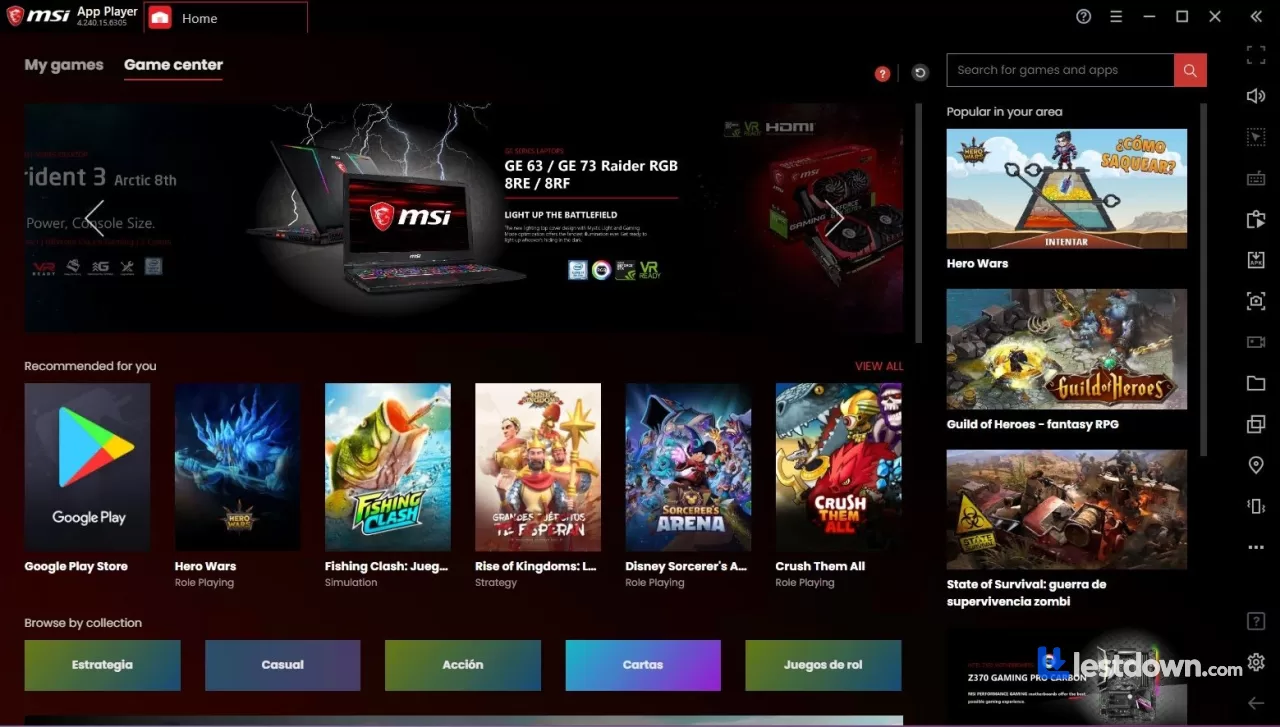
The emulator also incorporates Hyper-G graphics technology and AI-driven resource management, which helps keep things stable even during demanding sessions. The interface is clean and intuitive, anyone who's used an Android device will feel right at home. You get access to the Google Play Store right out of the box, so downloading apps and games is a breeze.
Customization and Controls
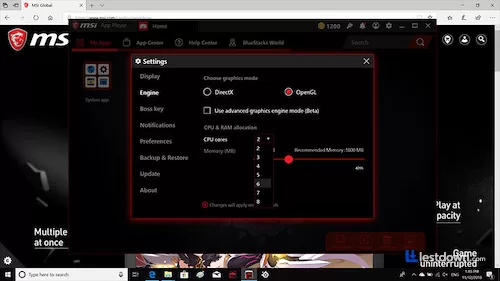
This is where MSI App Player really shines. You can tweak key mappings, adjust graphics settings, and even use macro support to automate repetitive tasks. The Console Mode feature, added in recent versions, gives you a console-like experience with support for wired or wireless controllers. It's surprisingly well done. Plus, multi-instance mode lets you open multiple games simultaneously or run the same game with different accounts, great for farming or just multitasking. The new Mini Window mode is handy too, letting you browse, work, or watch while your game keeps running in a small corner window.
System Requirements (Don't Skip This)
Here's the practical stuff. You'll need hardware-assisted virtualization enabled in your BIOS (VT-x for Intel, AMD-V for AMD). Without it, the emulator just won't run properly. Minimum specs are a dual-core CPU, 4 GB of RAM, and OpenGL 2.0 support. But realistically? You want 8 GB of RAM for a smooth single-instance experience, and 16 GB if you plan to run multiple instances or keep other apps open. You'll also want at least 8-10 GB of free disk space. A dedicated GPU or modern integrated graphics helps a lot. Also worth noting: virtualization can conflict with Hyper-V, VirtualBox, or VMware if you have those installed. So if you're running WSL2 or Docker, you might run into issues.
A Quick Note on Security (Because It Matters)
Okay, let's talk about the elephant in the room. MSI App Player is generally considered safe, it's digitally signed by BlueStack Systems, and major antivirus scans don't flag it. That said, there have been some concerns. Older versions (specifically 4.280.1.6309 and below) had local privilege escalation vulnerabilities in their driver components. Those have been patched, but it's a reminder to keep it updated. Also, some users have reported that the installer can bundle additional software if you're not careful during setup, so pay attention to the checkboxes. Stick to the official MSI website for downloads, and you should be fine.
MSI App Player vs. BlueStacks (Quick Thought)
I've used both. BlueStacks 5 is more feature-rich and supports newer Android versions (up to Android 13 now). MSI App Player is based on an older BlueStacks build but feels faster and less cluttered. If you want the latest Android version and the most active development, go with BlueStacks. If you want something that just works without the noise, MSI App Player is the better pick. It's lighter, cleaner, and for most gaming purposes, every bit as capable. The 240 FPS support is also a genuine advantage if you have the hardware for it.
Other Alternatives Worth Mentioning
MuMu Player: My personal go-to for modern games. It supports Android 12 and runs beautifully on both Windows and Mac. Lower resource usage than BlueStacks in my experience.
LDPlayer: Great for mid-range PCs. Supports Android 9, good for gaming, and has solid multi-instance support.
GameLoop: If you're only playing PUBG Mobile or Call of Duty Mobile, this is the official Tencent emulator and runs those two exceptionally well.
MEmu Play: Good general-purpose emulator with Android 11 support. Decent if you need something between LDPlayer and BlueStacks.
Final Thoughts
If you're tired of juggling between devices or just want a bigger screen for your mobile games, MSI App Player is definitely worth a try. It's reliable, easy to set up, and packed with features that make Android-on-Windows feel seamless. Is it perfect? No. The Android version is dated, and the security history is worth keeping in mind. But for a free emulator that runs fast, looks clean, and doesn't nag you with ads? It's hard to beat. Just keep it updated, and maybe bump your RAM to 16 GB if you can.
Short Description (One Paragraph)
MSI App Player is a free, lightweight Android emulator for Windows built in partnership with BlueStacks, offering a cleaner, less ad-heavy experience than the original. It supports up to 240 FPS on compatible hardware, runs Android 7.1.1, and includes key mapping, macro support, multi-instance mode, and a console-style controller mode. You'll need virtualization enabled and ideally 8–16 GB of RAM for smooth performance. It's generally safe but has had past driver vulnerabilities, so keep it updated and download only from the official MSI site. For gamers who want a fast, no-nonsense Android emulator without the bloat, it's a solid pick.
What’s new in MSI App Player 10.42.75.6311
Compatibility improvements: Periodic fixes for smoother integration with new Windows updates and drivers.
Performance optimizations: Enhancements for a smoother experience and lower latency in games.
Bug fixes: Resolution of known issues and general stability improvements.
Versions
| Version | Release date | Platform | File size | |
|---|---|---|---|---|
| MSI App Player 10.42.75.6311 Latest version | Dec 3, 2025 | Windows | 157.5 MB | Download |