

Mozilla Firefox 157.0
Mozilla Firefox in 2026 is a privacy-focused, open-source browser that's still the only major alternative to Chromium-based browsers. The biggest update of the year is Firefox 157's major visual refresh with new themes, Compact Mode, and improved HDR video playback. Firefox also launched Smart Window, a privacy-first AI assistant powered by Mistral models that works with your open tabs and history without retaining data on Mozilla's servers. Privacy protections include enhanced anti-fingerprinting (reducing unique identifiability by ~14%, ~49% on macOS), a built-in free VPN, 50 free email masks, and the first-ever Sanitizer API deployment. Market share sits around 5.31% on desktop and under 1% on mobile, far behind Chrome, but Firefox remains the last non-Chromium browser for users who value control, transparency, and an open web.
- Free
- Windows
- macOS
- Linux
- Android
- iOS
- Oct 9, 2026
Screenshots
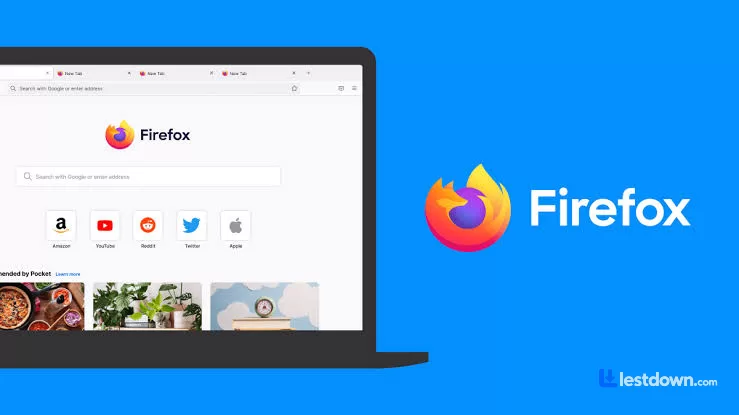
About Mozilla Firefox
Okay, real talk. Firefox has been around since 2004, and for a long time it was the browser, the scrappy open-source underdog that took down Internet Explorer and made the web a better place. Then Chrome showed up, ate everyone's lunch, and Firefox slowly faded into "oh yeah, that browser still exists" territory.
But here's the thing: in 2026, Firefox is actually having a moment. Not a "market share" moment, we'll get to that, and it's... not great. But a product moment. Mozilla has been shipping genuinely good updates, doubling down on privacy, and doing something no other major browser is doing: giving you actual control over your experience.
The Big 2026 Update: Firefox 157
The headline news is the biggest visual refresh in years, which rolled out on September 29, 2026. The toolbars, sidebar, menus, everything got a modernized look built on Mozilla's updated design system. And it's not just a coat of paint. There are new built-in themes with light and dark versions, and a Compact Mode that reduces toolbar and tab spacing for smaller screens or split-screen setups. If you're on a laptop, this is genuinely nice. It also added hardware AV1 decoding for WebRTC video calls, which means better quality and less battery drain on supported devices.
Oh, and they fixed HDR video playback on Windows. If you've got an HDR monitor, videos actually look right now instead of dull and gray. Small thing, but it matters.
Smart Window: AI That Doesn't Feel Like Spyware
Look, I'm skeptical of AI features in browsers. Chrome shoves Gemini in your face and it feels like Google is watching your every move. Firefox's approach is different.
Smart Window is Firefox's privacy-first AI assistant, and as of September 2026, it's powered by Mistral models. The pitch is simple: it works with the context you choose to share, your open tabs, relevant browsing history, to help you finish what you started. You can check answers without losing your place, group related tabs, find pages you clicked away from, and get visual previews of your history.
The privacy angle is real: conversations aren't saved on Mozilla's servers by default, and Mistral agreed to zero data retention. Plus, you can turn AI features off entirely if you want. That's not something you can say about Chrome or Edge. Smart Window is currently in beta in North America and France, with the UK and Germany coming later.
Privacy: Where Firefox Actually Shines
This is the part where Firefox genuinely beats Chrome, and it's not even close.
Chrome has no meaningful native anti-fingerprinting protection. A 2026 privacy analysis found that Chrome leaves APIs like Canvas, Audio, WebGL, and fonts wide open for device fingerprinting, the kind of tracking that works silently in the background and is really hard to block. Firefox, by contrast, strengthened its fingerprinting protection in Standard Enhanced Tracking Protection in 2026, reducing the number of users uniquely identifiable by common techniques by an average of ~14%, and by ~49% on macOS.
Firefox also has a free built-in VPN now (rolling out progressively), which routes your browser traffic through a proxy to hide your IP. It's not a full VPN for your whole system, but for browsing, it's genuinely useful and requires no extra downloads. They also increased the free email mask limit to 50 masks this year, which is great for shielding your real address from spam.
And then there's the Sanitizer API, Firefox is the first browser to ship this new web security standard that blocks certain attacks before they even reach you. That's a real security win, not marketing fluff.
The Market Share Reality Check
Okay, here's the uncomfortable part. Firefox's desktop market share has been in decline for years. As of September 2026, it sits at around 5.31%, down from 5.88% a year earlier, and at one point in mid-2026, it dipped to 3.81%. Chrome dominates with over 73% of the desktop market, Edge has around 10.5%, and Safari is right behind Firefox.
The mobile numbers are even worse. Firefox has less than 1% of the mobile browser market globally. It's basically invisible on phones compared to Chrome and Safari.
So yeah, Firefox isn't winning the popularity contest. But here's the thing, market share isn't everything. Firefox is the only major browser that isn't based on Chromium. If Chrome, Edge, Brave, Opera, and Vivaldi all share the same underlying engine, that's a monoculture. Mozilla is the last real alternative, and that matters for the health of the web.
How It Compares to the Competition
Firefox vs. Chrome: Chrome is faster in some benchmarks and has a bigger extension library. But Chrome is a data collection machine owned by an advertising company. Firefox is the privacy-conscious alternative that doesn't track you across the web by default. If you care about that stuff, Firefox wins.
Firefox vs. Edge: Edge is Chromium-based, so it performs similarly to Chrome. Microsoft has improved its security (Defender SmartScreen blocked 23% more phishing sites than Chrome in 2025 tests), but Edge is also heavy on Microsoft account integration and Copilot AI. Firefox feels lighter and less pushy.
Firefox vs. Brave: Brave is more aggressive about blocking ads and trackers out of the box, and its "Farbling" system randomizes fingerprinting data. But Brave is still Chromium-based, and its business model revolves around its own ad network. Firefox is the purist's choice.
The Annoying Stuff
Firefox isn't perfect. It can still be a bit heavy on system resources if you've got a ton of tabs open. The extension ecosystem, while good, isn't as vast as Chrome's. Some websites still have compatibility quirks (though these are rare now). And the mobile app, while improved, still lags behind Chrome and Safari in polish.
Also, if you're on Windows 7 or 8.1, you're stuck on Firefox 115 ESR, the current versions require Windows 10 or 11.
Should You Use It?
If you're asking whether Firefox is still worth using in 2026, the answer is: yes, absolutely, especially if you care about privacy, open-source software, and not being tracked by a giant corporation. The 2026 updates are genuinely good, Smart Window is a thoughtful take on AI, and the privacy protections are best-in-class among mainstream browsers.
Is it going to overtake Chrome? No. That ship has sailed. But Firefox isn't trying to be Chrome anymore. It's trying to be the browser for people who want something different, people who care about how the web works and who gets to control it.
And honestly? That's a pretty noble thing to be.
What’s new in Mozilla Firefox 157.0
New Features & Improvements
Modernized Design: A comprehensive visual overhaul across the browser toolbars, sidebar, menus, and individual features, built with an updated design system.
New Built-in Themes: Light and dark theme variants are available to personalize Firefox with one click.
Compact Mode: Reduces toolbar and tab spacing to leave more room for web content, useful on smaller screens and in split-screen layouts.
Hardware AV1 Decoding for WebRTC: Video calls can now use hardware AV1 decoding on supported devices instead of always decoding in software.
Encryption Key Recording Warning: Firefox now shows a warning in the site information panel (shield icon) and in Settings when the browser has been set up to record encryption keys.
Expanded Firefox Suggest: Address bar suggestions are now available in Austria, Belgium, Czech Republic, Denmark, Finland, Hungary, Ireland, Luxembourg, Netherlands, Norway, Poland, Portugal, Slovakia, Spain, Sweden, and Switzerland.
Updated Sidebar Enabled for All: The revamped sidebar is now enabled for everyone. The previous version can still be restored by setting sidebar.revamp to false in about:config until the end of 2027.
Dark Mode Support for Dialogs: Web page alert(), confirm(), and prompt() dialogs, color and date pickers, and form autocomplete drop-downs now match the page's light or dark color scheme.
Amazon Removed as Built-in Search Engine: Amazon is no longer included by default but can still be added as a custom search engine.
Fixed Issues
Fixed video from phones and tablets appearing sideways or upside down in WebRTC calls.
Fixed the address bar searching for typed text instead of opening the selected suggestion when a page was still loading.
Fixed some HDR videos encoded in 8-bit color formats looking dull and gray on Windows instead of displaying in HDR.
Improved audio and video synchronization when repeatedly changing playback speed on sites like YouTube.
Fixed the Vertical Tabs sidebar not reappearing when the cursor moves to the edge of the screen in full-screen mode.
Fixed an issue on Windows where making a video full screen would leave the Windows taskbar showing over the video.
Versions
| Version | Release date | Platform | File size | |
|---|---|---|---|---|
| Mozilla Firefox 157.0 Latest version | Sep 29, 2026 | Windows | 88.6 MB | Download |