

FL Studio: The DAW That Just Keeps Giving 2026
FL Studio is a powerful and beginner-friendly digital audio workstation from Image-Line, trusted by millions for its pattern-based workflow, legendary piano roll, and extensive built-in instruments and effects. The latest 2026 update brings AI-powered stem separation, a redesigned FLEX plugin, cloud project backup, a new Transmitter processor, and eight free Core Series sound packs, all while using up to 50% less CPU. With editions starting at $99, free lifetime updates, and a massive community of tutorials and support, it remains one of the best value DAWs for electronic, hip-hop, rock, and pop producers, whether you're just starting out or working in a professional studio.
- Free
- Windows
- Oct 8, 2026
Screenshots
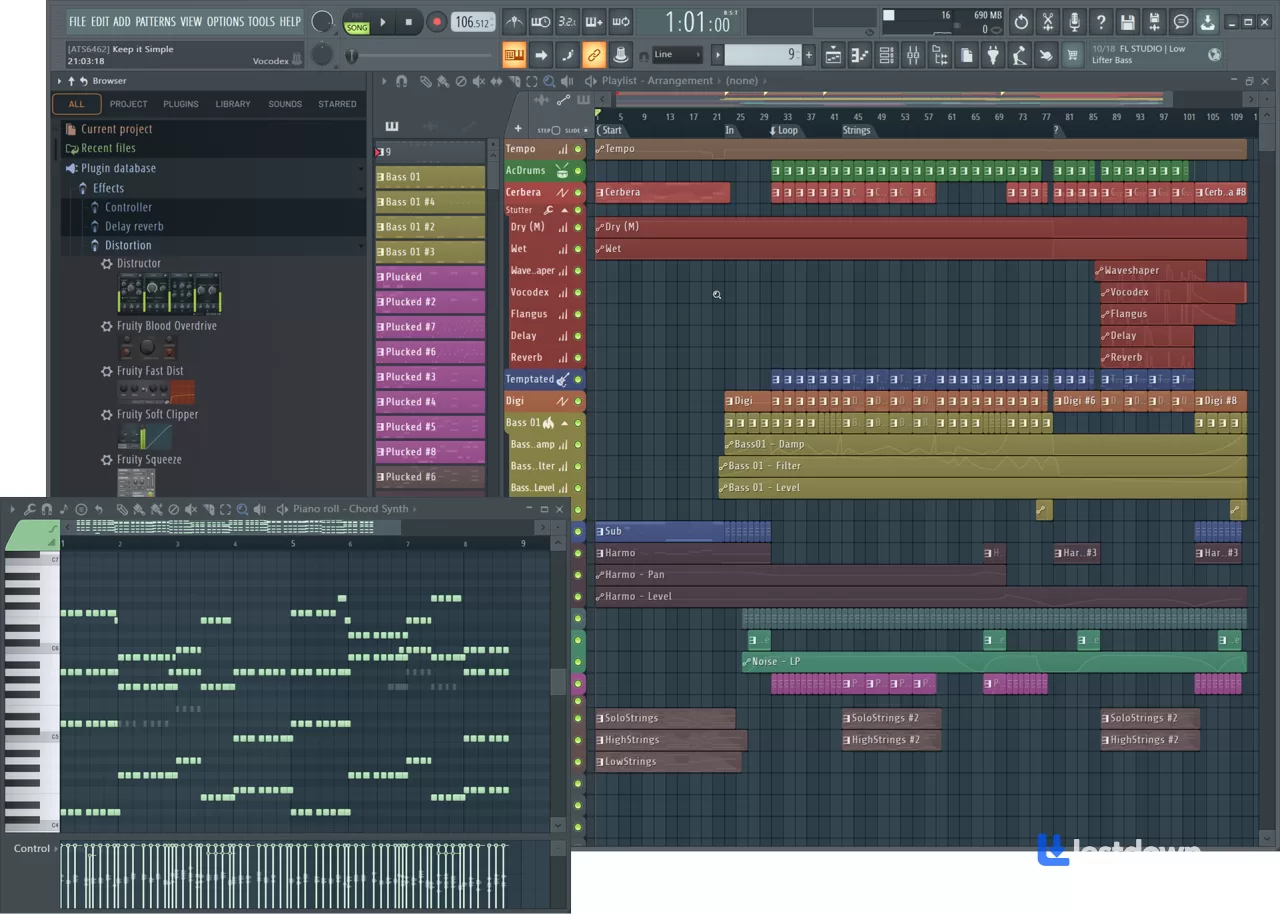
About FL Studio: The DAW That Just Keeps Giving
If you're diving into music production, you've probably heard of FL Studio. It's a powerhouse digital audio workstation that's been around for years, originally launched as FruityLoops. Developed by Image-Line, this software has grown into a go-to tool for both beginners and pros, thanks to its balance of simplicity and depth. And honestly? It's still one of the best entry points into music production.
So, what exactly is FL Studio? In a nutshell, it's an all-in-one platform where you can compose, record, edit, mix, and master music. It comes loaded with virtual instruments, effects, and samplers, making it super flexible for pretty much any genre you can think of, from electronic and hip-hop to rock and pop. And with the latest FL Studio 2026 update, things got even better.
One of the coolest things about FL Studio is its user-friendly interface. Even if you're just starting out, tools like the step sequencer and piano roll feel intuitive. But don't let that simplicity fool you, there's plenty under the hood for advanced users too.
Here's a quick rundown of what makes FL Studio stand out
Its pattern-based workflow is perfect for building loops and arranging tracks. This is honestly one of the main reasons people stick with it, once you get used to the pattern system, it's hard to go back.
You get a ton of built-in synths, drum machines, and effects, everything from reverb to compression. The stock plugins are genuinely usable, which is rare for a DAW.
It supports audio recording, so you can lay down vocals or live instruments. The Producer Edition and up give you full audio recording and audio clips.
There's even a performance mode for playing live with MIDI controllers.
And maybe the best part: free lifetime updates. Image-Line keeps improving it year after year, and you don't pay a dime for the next version. That's basically unheard of in the software world.
Now, about FL Studio 2026 specifically, this update is actually a pretty big deal. They redesigned FLEX, which is probably their most popular stock plugin, so it sounds better and loads faster. They also added a new Transmitter audio processor, Fruity Slicer 2, and native AI-powered stem separation. The new engine uses up to 50% less CPU for new and future packs, which means you can run more plugins without your computer choking. Oh, and there's this new thing where you can control FL Studio with an AI chatbot from inside the DAW, still not sure how useful that actually is in practice, but it's kind of wild that it exists. Cloud project backup is also built in now, so you don't lose your work if your hard drive decides to die. And they added a bunch of free sound packs called the Core Series, eight packs with over 200 presets, free for all users.
People often compare FL Studio to Ableton Live. While Ableton is killer for live performances with its Session View, FL Studio wins on affordability and ease of use. The Producer Edition is around $199, while Ableton Standard is closer to €349. Plus, those free updates are a huge bonus that Ableton doesn't offer. Ableton's piano roll is functional, but FL Studio's is widely considered one of the best in the business, people literally buy FL Studio just for the piano roll. That said, if you're heavily into live performance and loop-based workflows, Ableton might still be the better pick. It's not a one-size-fits-all situation.
Learning FL Studio is pretty straightforward. There are tons of tutorials online, both official ones from Image-Line and loads of community-made content. Forums and YouTube are packed with tips and tricks to help you get the hang of things fast. The manual is also surprisingly well-written and even has a sense of humor, it literally calls you out for looking at advanced features when you're still learning the basics. How many software manuals do that?
And yes, it's completely safe to use. Image-Line is a reputable company, and millions of users worldwide trust the software with no major security issues reported. The system requirements are pretty reasonable too, you need Windows 10 or 11, a 2 GHz processor with SSE2 support, 4 GB of RAM, and 4 GB of free disk space. On Mac, it's macOS 10.15 or higher, and it runs on both Intel and Apple Silicon. Obviously, the more powerful your CPU, the more plugins and effects you can run without hiccups.
So why do so many producers love FL Studio? It's affordable, easy to learn, incredibly versatile, and backed by a supportive community. Whether you're making beats in your bedroom or producing tracks in a professional studio, FL Studio gives you the tools to bring your ideas to life. Is it perfect? No. Some people find the interface a bit cluttered, and the pattern-based workflow isn't for everyone. But for the price, the features, and that lifetime update policy, it's genuinely hard to beat.
If you're looking to get into music production or want to try a new DAW, FL Studio is definitely worth checking out. It's accessible, powerful, and just plain fun to use. Give it a shot, you might be surprised at what you can create.
What’s new in FL Studio: The DAW That Just Keeps Giving 2026
Official Release Notes & Changelog
For the most accurate and detailed information, you can refer to these official Image-Line resources:
Official "What's New?" Page: This is the primary source for all new features and improvements introduced in FL Studio 2026.
Official Change Log: For a complete log that includes bug fixes and minor updates (like the 26.1.5 and 26.1.7 releases), you should check the dedicated "WhatsNew" change log page.
🚀 FL Studio 2026: Key Features (Initial Release - July 7, 2026)
The initial release of FL Studio 2026 brought several significant updates focused on performance, workflow, and new creative tools.
Redesigned FLEX: The popular FLEX plugin was completely rebuilt. It features a new synthesis engine that can reduce CPU usage by up to 50% on second-generation packs, a redesigned UI, better search, and a random-preset button.
FL Cloud Project Backup: All users now have access to automatic project backups to FL Cloud. The free tier includes 500 MB of storage, with Plus and Pro tiers offering 5 GB and 1 TB respectively.
Gopher AI Assistant: An updated AI assistant capable of performing tasks within your project, such as stem separation or loading tracks with a single click.
New Transmitter Plugin: An effects plugin that splits an incoming signal into its transient and sustain components, allowing for independent processing of each part.
Audio Logger: A new tool in the Tools Menu that continuously records the last 60 seconds of audio from the Master Mixer Track, similar to the existing MIDI Logger.
New Tools & Workflow Enhancements:
Chord Progression Tool: Added to the Tools Menu to assist with chord creation.
Remix a Song: A new Welcome Window option that loads and stem-separates a track in the Playlist with a single click.
Chord Detection Panel: A toolbar panel that detects chords from MIDI input, typing keyboard, or piano roll selections.
Core Series Sound Packs: Eight new free sound packs containing over 200 presets were made available to all FL Studio users.
🔧 Subsequent Updates & Changelog Highlights
Following the initial release, Image-Line has rolled out several updates. Here are the key changes from the changelogs:
FL Studio 26.1.5 (August 18, 2026):
Added a 24-bit option to the mixer's Disk Recording menu.
Added a Delete option to the channel settings window's menu.
FL Studio 26.1.7 (October 1, 2026)
Bug Fixes: Addressed a crash that occurred after undoing the "Trim unused mixer tracks" action (issue 22710) and a crash when building the browser cache (issue 22727)
Versions
| Version | Release date | Platform | File size | |
|---|---|---|---|---|
| FL Studio: The DAW That Just Keeps Giving 2026 Latest version | Jul 7, 2026 | Windows | 926.0 MB | Download |