

MockGo 6.0.1
MockGo is a Windows and macOS GPS location changer for iPhone developed by Foneazy Studio. It supports iOS 9 through iOS 26 (including iPhone 17), offers teleport, joystick, multi-stop route simulation with GPX support, and works without jailbreak. Pricing starts at $9.95/month, with a lifetime license at $59.95. The free trial is very restrictive (one-time use of key features), and there's no Android support or phone-only workflow. It's a reliable, affordable option for iOS users, though the joystick mode lags and getting your real GPS back requires a reboot. Alternatives like iAnyGo add Android support and more waypoints for a higher price.
- Free trial
- Windows
- macOS
- Oct 9, 2026
Screenshots
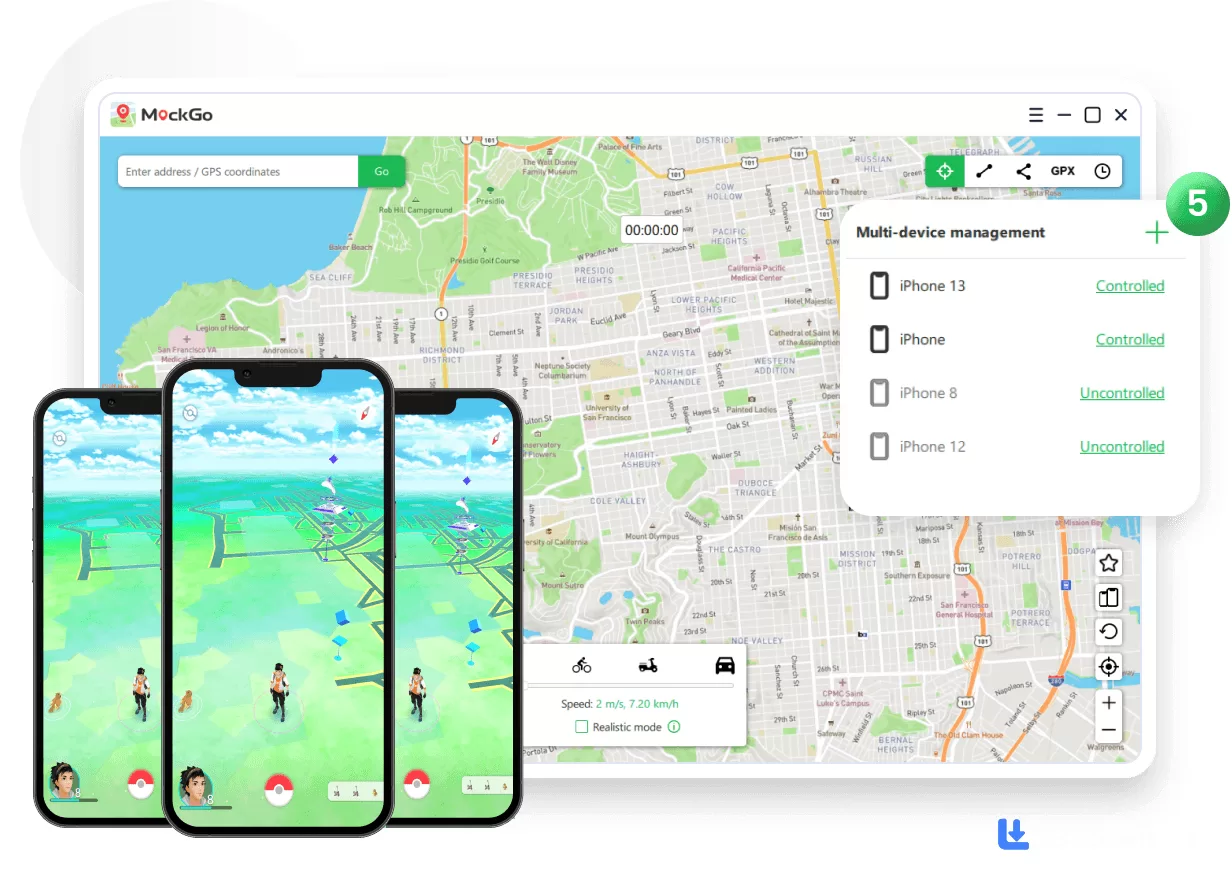
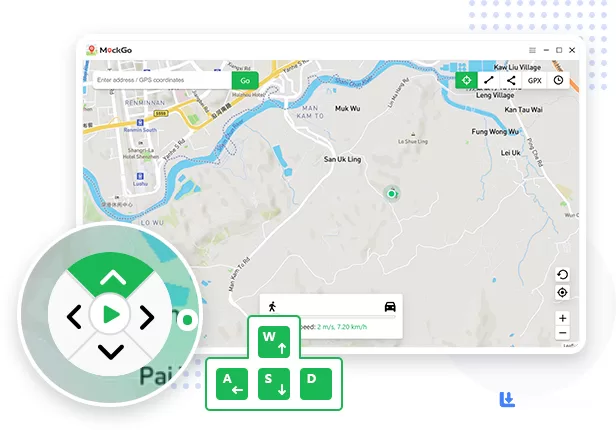
About MockGo
MockGo for Windows is a premium application designed to alter the GPS location on your iPhone. Developed by Foneazy Studio, it's been around for a few years now and has built a solid reputation among Pokémon GO players and privacy enthusiasts. Compatible with every version of Windows (from XP all the way to 11, which is honestly impressive), this tool offers a variety of practical applications. Imagine engaging in location-based games like Pokémon GO from the comfort of your home, selecting any global location to explore virtually. Additionally, its movement simulation feature is invaluable for planning routes between meeting venues, allowing you to efficiently manage your schedule with travel times seamlessly integrated.
What Does It Actually Do?
The core workflow is straightforward. After downloading and setting up MockGo on your Windows computer, connect your iPhone to the PC via USB cable. Upon starting the application, your actual location will be displayed. If it doesn't appear, simply click the "Center On" button to reveal it.
Selecting a Virtual Location
To activate the teleport feature within MockGo, use the "Teleport Mode" button. Enter your desired destination in the address bar and click "Go." A small popup will appear over the chosen location. Select "Move Here" to teleport to that spot. Open the map application on your iPhone, and it should now reflect the location you selected on your PC. In testing, it landed the new coordinates every time, across the location-based apps it was tried with.
Simulating Movement
The one-stop movement mode in MockGo allows you to mimic travel between two points within your simulated location. Activate this feature using the designated button on the app's mini toolbar located in the top-right corner. Follow the prompts to set your starting and ending points, and choose your movement speed. Options for walking, cycling, or driving are available, with a "Realistic Mode" button to enhance the experience. Once you click "Start," observe your journey on the map displayed on your computer screen. There's also a multi-stop mode for planning routes with multiple waypoints, and GPX file support so you can import your favorite routes. The joystick mode is there too, but honestly? It's the weak point. It lags behind the teleport and route modes, and it never feels crisp. If you're trying to look like a walking player rather than a teleporting one, you might notice some stutter mid-route.
What's New in 2026?
MockGo 6.0.1, released in August 2026, brought some genuinely useful updates. It added USB and Wi-Fi connection support for iOS 26, which means you can now connect wirelessly if you want. It also resolved a location reverting issue that was affecting iOS 17 and later, and enabled switching between standard Map and Satellite views. The tool is compatible with all iPhone and iPad models, including the new iPhone 17 Pro Max, and supports iOS versions from 9 all the way up to 26. That's a remarkably wide compatibility range, older iPhones still work, which is rare these days.
Why Choose MockGo?
MockGo stands out for its user-friendly interface that is both sleek and modern, closely resembling the aesthetics of iPhone maps. Whether your aim is to enhance business operations, enjoy location-based games globally, or play pranks by masking your true location, MockGo offers a reliable solution for altering your iPhone's GPS without the need for jailbreaking. It's also one of the few tools with a native macOS build that runs fine on Apple Silicon without Rosetta, making it a solid pick for Mac-first users.
The Pricing (And the Free Trial Trap)
Here's where I have to be straight with you. MockGo's current plans start at $9.95 for one month (down from a $14.95 list price), covering 5 devices plus one PC or Mac. Three months costs $19.95 and carries the "Best Seller" label, a year runs $39.95, and the lifetime license is $59.95 one time. That lifetime price is actually cheaper than most competitors, iAnyGo charges $89.95 for lifetime, for comparison.
But the free trial is almost insultingly restrictive. In the free trial version, the one-stop mode and multi-stop mode can only be used once, and the teleport feature is similarly limited. Some users report the trial is even tighter, with the joystick only usable for a few minutes. So if you're hoping to test-drive the full experience before buying, you're basically getting a demo that shows you the door and then closes it. The trial restricts some features and may prompt users to upgrade to the paid edition to unlock the app's full capabilities.
The Limitations (And They're Real)
MockGo is iOS-only. There's no Android support at all, which is a dealbreaker if you're on a Pixel or Samsung device. It's also desktop-only, you need a computer to use it, so there's no phone-only workflow. Getting your real GPS position back requires a reboot, which is a minor annoyance but worth knowing. Occasional lag can show up during simulated movement, especially with the joystick. And some users have reported connection issues after upgrading their iPhone or iOS version.
Security and Privacy
The official software itself is clean. Multiple download sites have verified it with their built-in antivirus, certifying it as 100% safe. There are no known security vulnerabilities in the current version. But as always with GPS spoofers, there's the game ban risk. Using any location spoofer in games like Pokémon GO can get your account flagged or permanently banned if the game detects unnatural movement. MockGo includes cooldown timers to help mimic realistic travel, but it's not foolproof. If you're spoofing in a competitive game, you're accepting that risk.
Also, the "uninstall" feature only works on the same PC. One Trustpilot reviewer noted that after unregistering and uninstalling on one computer, they couldn't install and register MockGo on their laptop. That's a bit annoying if you're switching machines.
MockGo vs. iAnyGo vs. AnyTo
Here's how it stacks up against the main competitors
Tenorshare iAnyGo: Costs more ($89.95 lifetime vs. MockGo's $59.95), but it adds Android support, GPX export, and routes with far more waypoints. It also offers a 360-degree pad for movement control, while MockGo offers keyboard and on-screen control. If you need Android or cross-platform support, iAnyGo is worth the extra cost.
iMyFone AnyTo: Starts at $14.99/month, which is pricier than MockGo's $9.95. It supports both iOS and Android, and has a wider movement speed range (up to 120 km/h vs. iAnyGo's 108 km/h). But for iOS-only users, MockGo is the better value.
MocPOGO: A newer entrant with a focus on Pokémon GO specifically. It has a "Native Mode" that allows teleportation within the official Pokémon GO app, plus joystick and GPX import. Pricing is comparable, but it's less established.
MockGo does what it promises: it changes your iPhone's GPS location, and it does it reliably across a wide range of iOS versions. The teleport and route simulation features work well, the setup is beginner-friendly, and the lifetime license at $59.95 is genuinely good value. But the free trial is barely a taste, there's no Android support, and the joystick mode is laggy. If you're an iPhone user who wants a simple, affordable GPS spoofer for occasional use, MockGo is a solid pick. If you need Android support or more advanced route planning, iAnyGo is the better choice. And if you're a Mac user, MockGo's native Apple Silicon build makes it a compelling option. Just don't download a cracked version. Stick to the official site.
Versions
| Version | Release date | Platform | File size | |
|---|---|---|---|---|
| MockGo 6.0.1 Latest version | Aug 11, 2026 | Windows | 220.0 MB | Download |