Adobe Acrobat Reader DC 26.002.21996
Adobe Acrobat Reader DC is the free, industry-standard PDF viewer from Adobe, offering viewing, printing, commenting, form-filling, e-signatures, and 2 GB of free cloud storage. The 2026 version adds AI-powered chat editing, PDF Spaces, and audio summaries. The free version covers the essentials, but editing requires Acrobat Pro at $14.99–$19.99/month. It's resource-heavy (900 MB–4.5 GB install) compared to alternatives like Sumatra PDF (under 10 MB) and Foxit Reader. Protected Mode becomes mandatory on Windows in December 2026, improving security but potentially breaking third-party plugins.
- Free
- Windows
- macOS
- Linux
- Android
- iOS
- Oct 9, 2026
Screenshots
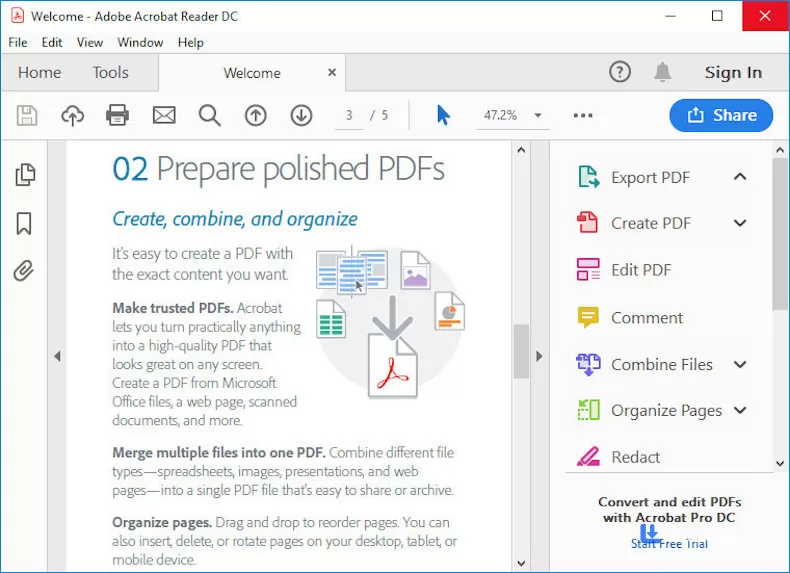
About Adobe Acrobat Reader DC
Let's be real, if you've ever opened a PDF, you've probably used Adobe Acrobat Reader. Adobe literally invented the PDF format back in the '90s, so there's a certain "well, they should know what they're doing" factor here. And for basic viewing, printing, and signing? Yeah, it still works. But the 2026 version has some quirks and pricing traps you should know about before you commit.
What's Actually New in 2026?
Adobe's been busy injecting AI into everything, and Reader DC is no exception. The April 2026 update brought an Acrobat AI Assistant that lets you "chat" with your PDFs using natural language. You can ask questions, get cited answers about charts and details, and even generate summaries of long documents. There's also a new "PDF Spaces" feature for working across multiple files with AI assistance, and podcast-style audio summaries for people who'd rather listen than read.
Some of this is genuinely useful, especially if you're dealing with long reports or textbooks. Some of it feels like AI for the sake of AI. But either way, it's there, and it's part of the free Reader experience now, you don't need a Pro subscription to try the AI features.
The Free vs. Paid Trap
Here's where I need to be straight with you. The free version of Reader DC does a lot: view, print, comment, sign, fill forms, and basic cloud access. But the moment you want to edit a PDF, change text, rearrange pages, convert to Word, you hit a wall. That's Acrobat Pro territory, and it starts at around $14.99 to $19.99 per month. Over a year, that's $180 to $240 just to edit PDFs. For most people, that's overkill. If you're a heavy PDF editor, fine. But for the average user who just needs to sign a lease or fill out a form? The free version is genuinely enough.
System Requirements (It's Heavier Than You Think)
Acrobat Reader isn't the lightweight tool it used to be. The 64-bit Windows version requires a 1.5 GHz processor, 2 GB of RAM, and 900 MB of disk space for English (1 GB for other languages). That's... a lot for a PDF reader. The 32-bit version is even worse at 4.5 GB. Compare that to Sumatra PDF, which is under 10 MB and opens files in well under a second. Adobe's got some serious bloat going on.
Security: Protected Mode Is Now Mandatory
Adobe's been pushing its "Protected Mode" sandbox for years, and in 2026, they're making it mandatory. On Windows, the option to disable it is being retired in December 2026. This is actually a good thing, Protected Mode runs PDF rendering in a separate, low-privilege process so malicious PDFs can't freely access your files or registry. But it can break third-party plugins and cause performance issues in some workflows. If you rely on specific plugins, check compatibility before the deadline hits.
Alternatives That Might Actually Be Better
Look, I'm not saying ditch Adobe entirely. But you should know your options:
Sumatra PDF: Free, open-source, under 10 MB, opens files instantly. It handles PDF, EPUB, MOBI, and more. It's ugly as sin, but it's fast. If you just need to read PDFs, this is the smarter choice.
Foxit PDF Reader: The closest free alternative to Acrobat for annotation and form-filling. If you need Acrobat-like features without the bloat, this is your pick.
BentoPDF: A newer browser-based option that's completely free and open-source. No install, no subscription.
Okular: Cross-platform, open-source, handles PDFs, EPUBs, and comics with solid annotation tools.
Adobe Acrobat Reader DC is still the most feature-complete free PDF reader out there, and the new AI features are genuinely interesting. But it's heavy, the paid tier is expensive for what most people need, and the mandatory Protected Mode changes might cause headaches for some users. If you're already in the Adobe ecosystem, fine, stick with it. But if you just want to open PDFs without the drama, Sumatra PDF is sitting there, free and fast, waiting for you.
Versions
| Version | Release date | Platform | File size | |
|---|---|---|---|---|
| Adobe Acrobat Reader DC 26.002.21996 Latest version | Oct 5, 2026 | Windows | 1.6 MB | Download |